Security Command Center Software: Centralize Field Ops
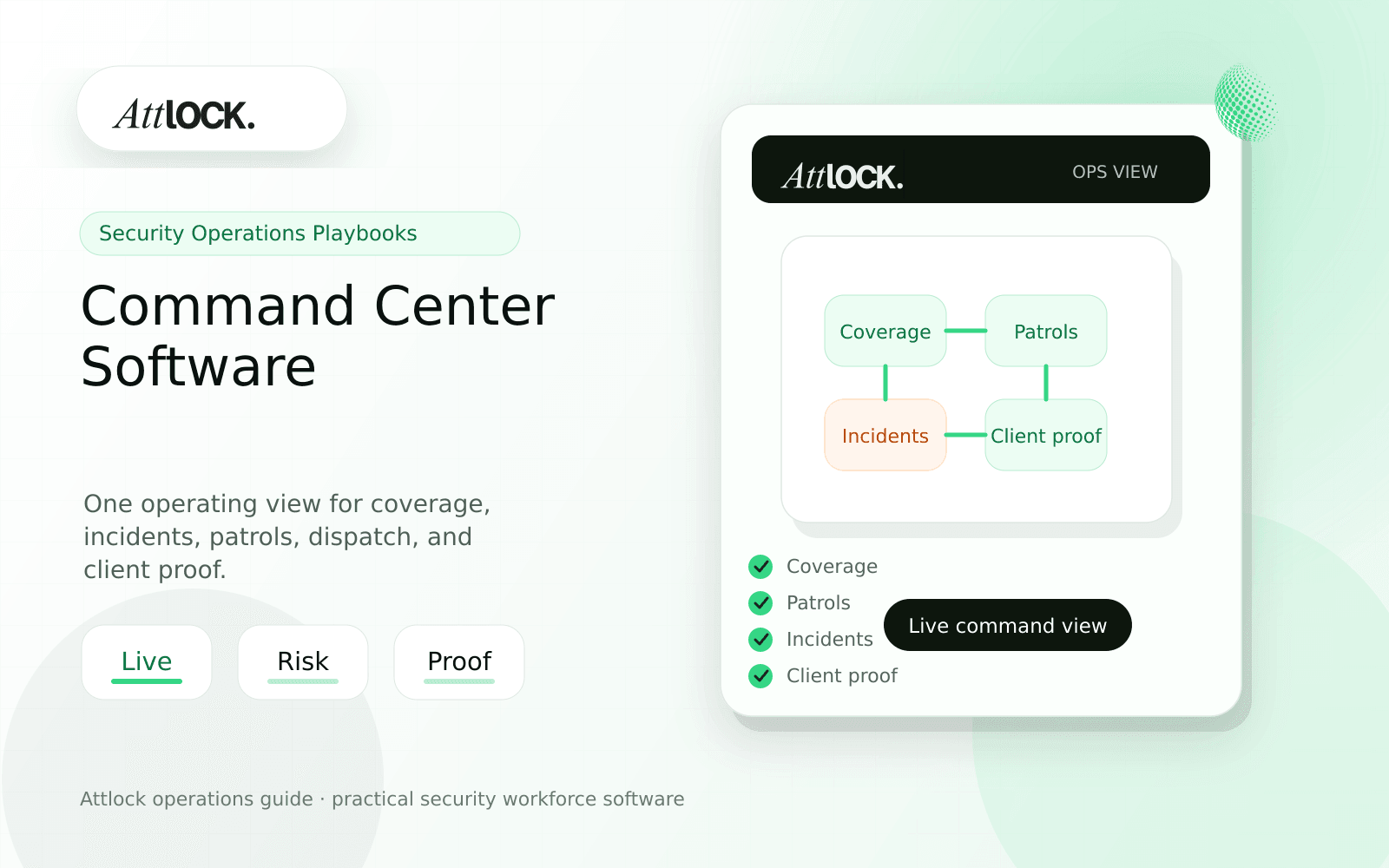
Table of Contents
- Security Command Center Software Toolkit
- Command Center View
- Demo Scenario
- Shift Change Output
- Red Flags
- Where Attlock Fits
- FAQ
- What is security command center software?
- What should a security company test before buying?
- What output should managers expect?
- Where does Attlock fit?
- Operational Rollout Notes
- Configuration Table
- Supervisor Checklist
- Related Attlock Workflows
- 30-Day Command Center Rollout Plan
- Manager review questions
- Implementation Detail to Watch
Share Article
Security Command Center Software Toolkit
TL;DR
A command center should answer the question supervisors ask all night: what needs attention right now, who owns it, and what proof will the client see later?
Security teams often have schedules in one tool, GPS in another, incident reports somewhere else, and client updates in email. A command center is valuable when it connects those records into one operating view.
Command Center View
| Signal | What it should show | Action it should support |
|---|---|---|
| Coverage | Open shifts, late starts, no-shows | Reassign or escalate |
| Patrols | Completed, missed, late, exception | Review or dispatch |
| Incidents | Severity, status, owner, attachments | Approve or escalate |
| Live location | On-duty guards and site context | Send nearest responder |
| Client follow-up | Open issues and due dates | Protect retention |
Demo Scenario
- Load a dashboard with five active sites.
- Show one late guard, one missed patrol, and one open incident.
- Assign a dispatcher to the incident.
- Send the nearest guard to a response.
- Approve one client-ready report.
- Show what remains unresolved at shift change.
Shift Change Output
| Area | Example |
|---|---|
| Open coverage | One replacement pending for East Lobby |
| Patrol exceptions | Two missed checkpoints awaiting review |
| Incidents | One high-priority incident assigned to supervisor |
| Client updates | Harbor Plaza proof packet ready |
| Next action | Dispatcher to confirm replacement ETA |
Red Flags
- The dashboard shows counts but cannot open the source record.
- Dispatch, incidents, and patrol proof are separate modules with no shared timeline.
- Supervisors cannot filter risk by client or site.
- Shift change requires copying notes into another system.
- Client follow-up is not tracked after operations close the event.
Where Attlock Fits
Attlock uses command center workflows to connect scheduling, dispatch, live tracking, patrols, incidents, and client proof. The point is not more dashboards. The point is faster action with cleaner records.
Pair command center operations with field operations so supervisors can move from signal to action without leaving the workflow.
FAQ
What is security command center software?
security command center software is the workflow, software, and review process a security company uses to keep centralized field operations work visible, documented, and ready for supervisor or client review.
What should a security company test before buying?
Test one real site, one real shift, one guard mobile workflow, one supervisor exception, and one client-ready report. If the vendor cannot show that full chain, the tool may create more cleanup work after rollout.
What output should managers expect?
A useful command center output shows current risks, assigned owners, source records, status, next action, and client-facing proof readiness.
Where does Attlock fit?
Attlock fits teams that want schedules, time records, post orders, patrols, incidents, live visibility, and client proof connected in one operating loop. Start with a demo or test the workflow from sign-up.
Operational Rollout Notes
A command center should reduce response time and decision noise. The best test is whether supervisors can see coverage risk, patrol exceptions, active incidents, and client follow-up in one place without rebuilding the story manually.
Configuration Table
| Workstream | What to configure | Owner |
|---|---|---|
| Coverage | Late starts, no-shows, open posts | Dispatcher |
| Patrols | Missed checkpoints and route exceptions | Field supervisor |
| Incidents | Priority, owner, status, evidence | Operations manager |
| Client proof | Approved reports and follow-up actions | Account manager |
Supervisor Checklist
- Define which signals belong on the live board.
- Keep source records one click away from each alert.
- Assign an owner to every unresolved item.
- Review shift-change handoff before supervisors leave.
- Track client-facing follow-up separately from internal cleanup.
- Use the dashboard to drive action, not just reporting.
Related Attlock Workflows
In Attlock, this connects naturally to command center, field operations, and client portal so the article turns into an operating workflow instead of a static note.
30-Day Command Center Rollout Plan
A command center should help supervisors decide what needs action now. The first month should focus the live board on service interruptions, open risks, and shift-change handoffs instead of every possible data point.
Manager review questions
- Which alerts require immediate action, same-shift follow-up, or next-day review?
- Can dispatchers move from an alert to the source record without opening multiple systems?
- Are open posts, missed patrols, and critical incidents visible before clients call?
- Does the shift-change handoff show unresolved items with owners and due times?
- Can managers review trends by site, client, or region after the live issue is closed?
Begin with a small set of high-value signals and a daily handoff routine. Add more widgets only when they change supervisor behavior or reduce client escalation risk.
Implementation Detail to Watch
A command center becomes noisy when every event has the same urgency. Define tiers for immediate dispatch, supervisor review, and trend reporting. Open posts, panic alerts, missed lone-worker check-ins, and active incidents should sit above routine activity. Once the priority model is clear, the dashboard helps managers act faster instead of forcing them to scan more data.