NFC vs QR Code Guard Tour Systems: Which Should You Use?
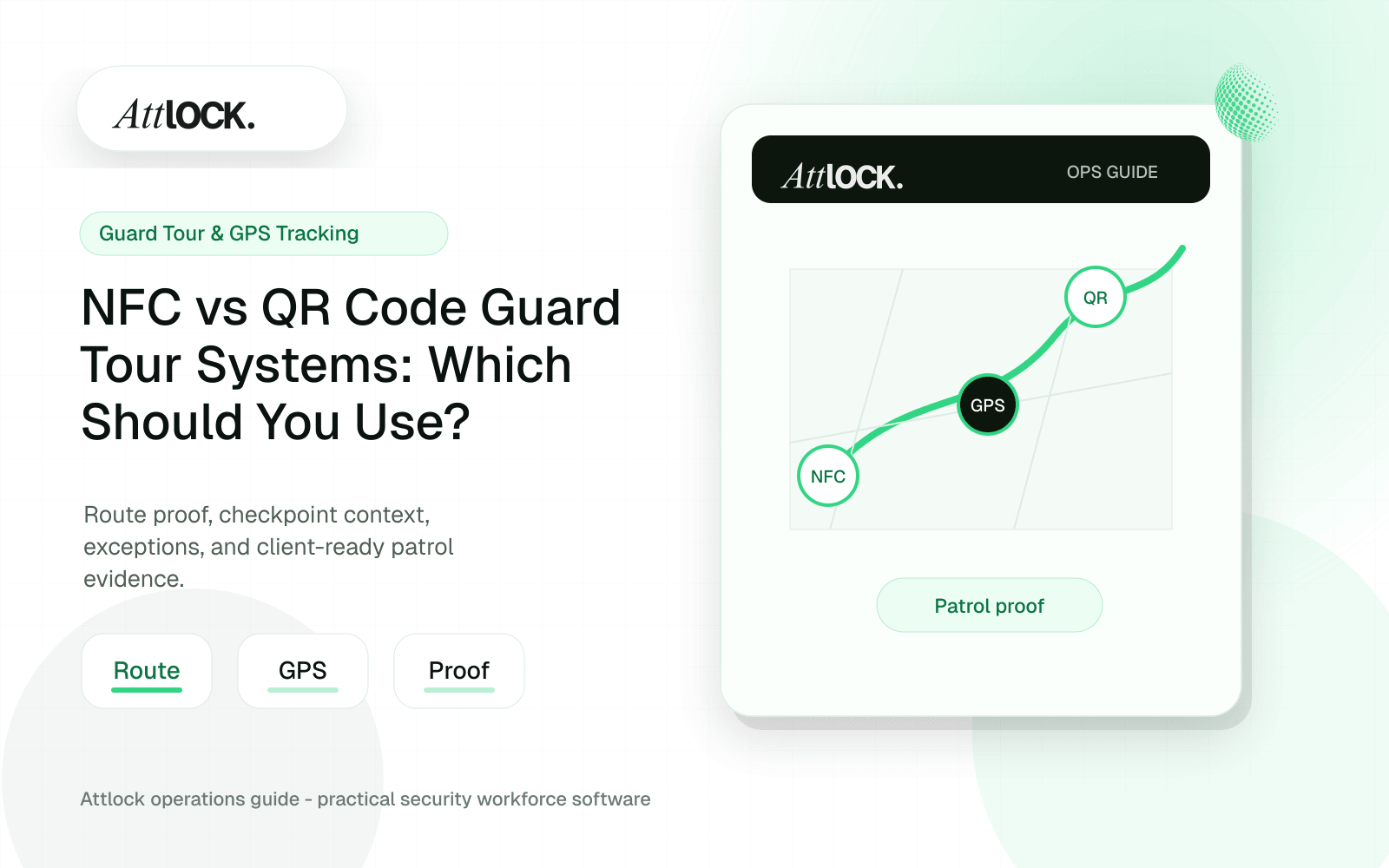
Table of Contents
- NFC vs QR Guard Tour Testing Toolkit
- Quick Comparison
- Route Proof Checks
- QR Code Tamper Controls
- NFC Tamper Controls
- Mobile App Tests Before Buying
- Demo Scenario
- Buyer Rule
- NFC vs QR: Quick Comparison
- When QR Codes Make Sense
- When NFC Makes Sense
- Do Not Ignore GPS And Exceptions
- Operator Scenario: Mixed Route
- Where Attlock Fits
- A Practical Rollout Plan
- FAQ
- Is NFC better than QR for guard tours?
- Can a guard tour system use both NFC and QR?
- Can QR codes be copied?
- What should clients see from checkpoint data?
- Operational Rollout Notes
- Configuration Table
- Related Attlock Workflows
Share Article
NFC vs QR Guard Tour Testing Toolkit
QR codes and NFC tags can both prove that a guard reached a checkpoint. The better choice depends on site conditions, tamper risk, phone support, reporting needs, and supervisor control.
Quick Comparison
| Option | Best for | Watch for |
|---|---|---|
| QR code | Low-cost rollout, easy printing, and fast replacement | Can be photographed, copied, or moved |
| NFC tag | Stronger physical checkpoint proof and cleaner scans | Requires compatible phones and proper placement |
| GPS-only | Outdoor patrols, vehicle routes, and large sites | Weak indoor accuracy and spoofing concerns |
| QR/NFC plus GPS | Higher-confidence route proof | Requires setup discipline and exception review |
Route Proof Checks
- Guard identity.
- Scan timestamp.
- Site and checkpoint name.
- GPS position at scan time.
- Expected versus actual scan order.
- Missed checkpoints.
- Late checkpoints.
- Duplicate scans.
- Manual overrides.
- Incident notes and photos linked to checkpoints.
QR Code Tamper Controls
| Common risk | Control to require |
|---|---|
| Guard photographs the code and scans away from the checkpoint | GPS proximity check at scan time |
| Code is peeled off and moved | Tamper-evident sticker and supervisor alert for location mismatch |
| Client replaces a damaged code with the wrong one | Checkpoint ID locked to one site |
| Code becomes unreadable from weather, paint, or cleaning | Replacement process with audit history |
NFC Tamper Controls
| Common risk | Control to require |
|---|---|
| Tag is removed from the checkpoint | Physical mounting photo and inspection process |
| Tag is damaged by metal mounting or weather | Real-site scan test before rollout |
| Tag is replaced with another tag | Unique NFC tag ID mapped to one checkpoint |
| Phone case or device does not scan reliably | Field test on every phone model used by guards |
Mobile App Tests Before Buying
- Scan QR in low light.
- Scan NFC through the guard’s phone case.
- Scan in a stairwell or basement with weak signal.
- Complete a patrol offline and sync later.
- Add an incident photo while on patrol.
- Attempt to scan the same checkpoint twice.
- Try scanning checkpoints out of order.
- Review battery use after a full shift.
Demo Scenario
- Create a five-stop patrol route.
- Use QR for two stops, NFC for two stops, and GPS-only for one outdoor stop.
- Walk the route out of order.
- Skip one checkpoint.
- Scan one checkpoint from outside the expected GPS radius.
- Add a photo incident.
- Generate a client report.
Buyer Rule
Do not choose QR or NFC in isolation. Choose the checkpoint method that gives supervisors and clients the clearest proof: who was there, when they were there, whether they followed the route, and what exceptions need attention.
NFC vs QR: Quick Comparison
| Factor | QR code | NFC tag |
|---|---|---|
| Deployment cost | Low; print or mount codes quickly | Moderate; requires physical tags |
| Ease of replacement | Easy to reprint | Requires tag replacement |
| Physical presence proof | Good, but codes can be photographed | Stronger because the device must be near the tag |
| Durability | Depends on print and mounting material | Can be strong with proper hardware |
| Guard experience | Open camera and scan | Tap device near the tag |
| Best use | Standard routes and fast rollout | Higher-trust checkpoints and exposed sites |
When QR Codes Make Sense
QR codes work well for low-risk interior checkpoints, temporary sites, construction posts, event security, and routes that change often. They are easy to deploy and replace. The tradeoff is control: codes can be photographed, covered, damaged, or scanned from the wrong distance if policies and supervisor review are weak.
When NFC Makes Sense
NFC tags are stronger when the client needs better proof that the guard physically reached the checkpoint. They can work well for high-value areas, sensitive doors, equipment rooms, remote checkpoints, and recurring patrol routes. The tradeoff is hardware planning and device compatibility.
Do Not Ignore GPS And Exceptions
The checkpoint only tells part of the story. GPS context, scheduled route timing, missed scan alerts, guard notes, and supervisor review show whether the patrol requirement was actually managed. A scan without exception handling still leaves the account manager explaining gaps manually.
| Risk | Control |
|---|---|
| QR code copied or photographed | Pair scans with GPS context, route timing, and supervisor review |
| NFC tag damaged or missing | Create maintenance alerts and alternate verification rules |
| Guard scans out of sequence | Use route order rules or exception review |
| Client questions patrol value | Turn scans into summarized proof, not raw scan logs |
Operator Scenario: Mixed Route
A residential community may use QR codes for common areas and NFC tags for higher-risk checkpoints like the pool equipment room, package room, or gatehouse. GPS confirms the guard stayed on site during the patrol window. The client report should show completed patrols, exceptions, and follow-up rather than a confusing list of scan events.
The hardware decision should be made route by route, not company-wide by default. A temporary construction site may only need laminated QR codes for three months. A hospital pharmacy door or data room may justify NFC because physical presence proof matters more. A parking lot route may rely more heavily on GPS context. Buyers should map each checkpoint by risk, replacement cost, weather exposure, and client sensitivity before choosing one method for every site.
Where Attlock Fits
Attlock supports checkpoint proof as part of the full patrol workflow. Teams can use QR, NFC, GPS context, post orders, incidents, and supervisor review to create a stronger service record. That makes the technology decision less about tags and more about reliable client proof.
Attlock is not limited to one checkpoint method. It is best used when a company wants flexible patrol verification tied to schedules, guards, sites, reports, and client expectations.
A Practical Rollout Plan
- Week 1: audit the current NFC and QR guard tours workflow, list the sites affected, and decide which records must be client-ready.
- Week 2: configure one active site with real guards, post orders, patrol requirements, notification rules, and supervisor ownership.
- Week 3: run the workflow during live shifts and measure missed steps, manual edits, supervisor review time, and client questions.
- Week 4: expand only after the pilot proves that guards can use the mobile workflow and managers can review the records without cleanup.
FAQ
Is NFC better than QR for guard tours?
NFC is better when physical presence proof matters more than low-cost deployment. QR is better when routes change often or the company needs fast, inexpensive setup. The best choice depends on site risk, environment, client expectations, and maintenance capacity.
Can a guard tour system use both NFC and QR?
Yes, many security companies should use both. QR can cover standard or temporary checkpoints, while NFC can protect higher-risk areas. A mixed approach works best when the software also tracks GPS context, missed checkpoints, and supervisor review.
Can QR codes be copied?
Yes, QR codes can be photographed or copied if controls are weak. That does not make them useless, but it means companies should pair QR scans with GPS context, route timing, site rules, and exception review for stronger accountability.
What should clients see from checkpoint data?
Clients should see completed patrol proof, missed checkpoint explanations, incidents, and reviewed summaries. Raw scan logs are often too noisy. The account manager should translate checkpoint activity into a clear service record.
Operational Rollout Notes
A patrol workflow should show more than a completed route. Supervisors need to know what was scheduled, what was actually checked, what was missed, and what evidence is strong enough to share with the client.
Configuration Table
| Workstream | What to configure | Owner |
|---|---|---|
| Route design | Checkpoint order, required notes, photos | Operations manager |
| Field proof | GPS context, NFC or QR scan, timestamp | Guard or supervisor |
| Exceptions | Missed, late, skipped, or repeated checkpoints | Field supervisor |
| Client output | Route summary with exceptions and attachments | Account manager |
Related Attlock Workflows
In Attlock, this connects naturally to guard tour system, live tracking, and client portal so the article turns into an operating workflow instead of a static note.