Guard Tour System vs GPS Tracking: What Security Teams Need
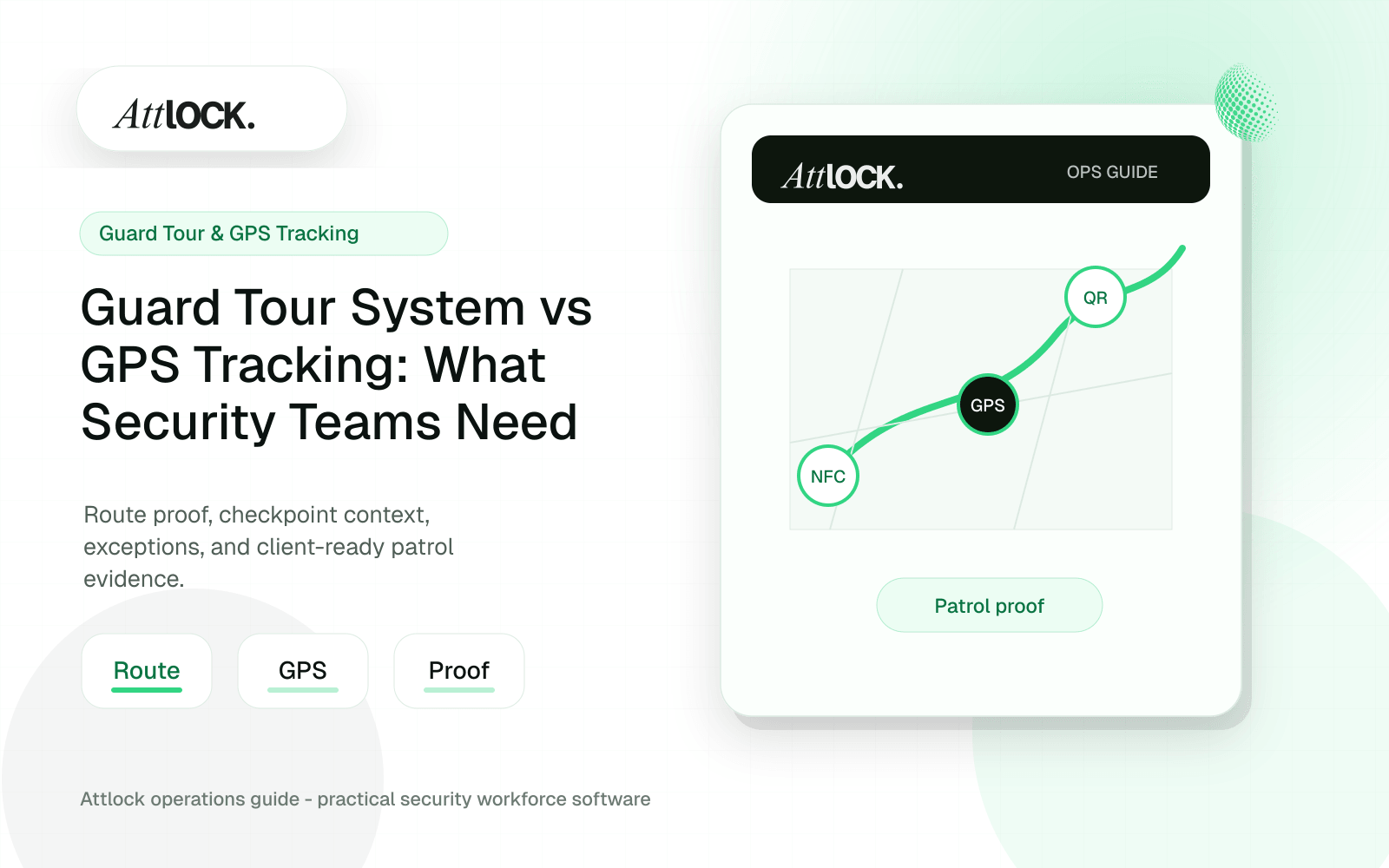
Table of Contents
- Guard Tour vs GPS Buyer Toolkit
- Comparison Table
- When Tour Checkpoints Matter
- When GPS Matters
- Patrol Design Checklist
- Demo Scenario
- Output Example
- Buyer Decision Guide
- Guard Tour vs GPS: The Practical Difference
- When A Guard Tour System Matters More
- When GPS Tracking Matters More
- Client Proof Should Combine Both
- Operator Scenario: Warehouse Patrol
- Where Attlock Fits
- A Practical Rollout Plan
- FAQ
- Is GPS tracking enough for guard tours?
- What is the best guard tour technology?
- Should clients see live GPS data?
- How do we prevent patrol proof disputes?
- Operational Rollout Notes
- Configuration Table
- Related Attlock Workflows
Share Article
Guard Tour vs GPS Buyer Toolkit
Guard tour systems prove that required checks happened. GPS tracking shows where guards were over time. Many teams need both, but they solve different problems.
Comparison Table
| Need | Guard tour system | GPS tracking |
|---|---|---|
| Confirm checkpoint visits | Strong fit | Partial fit |
| See live guard location | Limited unless included | Strong fit |
| Prove patrol sequence | Strong fit | Partial fit |
| Review missed patrols | Strong fit | Depends on rules |
| Dispatch nearest guard | Limited | Strong fit |
| Document site activity | Strong fit | Limited without reports |
When Tour Checkpoints Matter
- Locked door checked.
- Fire lane clear.
- Mechanical room inspected.
- Parking area swept.
- Visitor log reviewed.
- Alarm panel status confirmed.
When GPS Matters
- Lone worker visibility.
- Nearest guard dispatch.
- Route review after an incident.
- No-show or late-arrival investigation.
- Supervisor oversight across multiple sites.
Patrol Design Checklist
| Patrol item | Practical test |
|---|---|
| Checkpoint placement | Does it match actual risk areas? |
| Frequency | Is the interval realistic for the site size? |
| Exceptions | Can guards explain why a checkpoint was missed? |
| Photos and notes | Can evidence be attached when needed? |
| Offline mode | Can patrols continue with weak signal? |
| Review view | Can supervisors find missed checks quickly? |
Demo Scenario
- Create a patrol route with six checkpoints.
- Start the patrol from the mobile app.
- Complete three checkpoints in order.
- Skip one checkpoint and add a reason.
- Trigger a live dispatch request.
- Review the map, checkpoint log, and exception report.
- Export the patrol summary for the client.
Output Example
| Field | Example |
|---|---|
| Patrol route | Warehouse Exterior |
| Guard | Marcus R. |
| Started | 21:00 |
| Completed | 5 of 6 checkpoints |
| Missed | Loading Dock Door |
| Reason | Delivery vehicle blocked access |
| Supervisor review | Follow up with client contact before next patrol |
Buyer Decision Guide
| If your main problem is... | Prioritize |
|---|---|
| Clients dispute whether patrols happened | Guard tour |
| Dispatch needs live location awareness | GPS tracking |
| Supervisors need route compliance | Guard tour plus exceptions |
| Multi-site response time matters | GPS tracking |
| Client reporting is weak | Guard tour reports |
Guard Tour vs GPS: The Practical Difference
| Method | Best at proving | Weakness if used alone | Best use case |
|---|---|---|---|
| QR checkpoint | A guard scanned a visible location marker | Can be photographed or damaged if unmanaged | Low-cost routes and standard interior patrols |
| NFC checkpoint | A guard physically reached a tag | Requires compatible tags and devices | Higher-trust checkpoint verification |
| GPS tracking | Where a guard moved during a shift | Does not prove a required checkpoint was inspected | Mobile patrols, geofences, and live oversight |
| Geofence rule | Entry, exit, or presence near a site | Can be too broad for detailed route proof | Clock-in validation and site boundary alerts |
When A Guard Tour System Matters More
Use guard tour checkpoints when the client pays for specific patrol obligations: mechanical room checks, perimeter walks, parking lot sweeps, fire watch rounds, stairwell inspections, or locked-door checks. In those cases, a location trail is not enough. The company needs a record that the required points were visited on schedule.
When GPS Tracking Matters More
GPS is more useful when managers need live awareness: mobile patrol vehicles, lone workers, large campuses, alarm response, or supervisors checking whether guards are near assigned sites. GPS gives context around the work, especially when a guard deviates from a route or an incident occurs between checkpoints.
Client Proof Should Combine Both
The mature approach is not GPS versus guard tour. It is a proof stack: scheduled coverage, guard identity, clock-in, route requirements, checkpoint scans, GPS context, incident notes, photos, and supervisor review. That stack lets an account manager answer the client with confidence instead of exporting disconnected logs.
| Client question | Weak answer | Strong answer |
|---|---|---|
| Was the site patrolled? | Here is a map trail | Here are completed checkpoints tied to the scheduled shift |
| Why was a checkpoint missed? | The app says incomplete | Missed checkpoint, guard note, supervisor review, and follow-up action |
| Was the guard on site? | They clocked in | Clock-in, geofence, GPS context, and patrol activity |
| What happened during the issue? | See the incident report | Incident report with patrol context, photos, and review status |
Operator Scenario: Warehouse Patrol
A warehouse client pays for an exterior patrol every hour and a loading dock check twice per shift. GPS can show that the guard moved around the property, but checkpoints show whether the required dock and perimeter checks happened. If a gate is found open, the incident report should connect to the patrol record so the supervisor can explain what happened and when.
Where Attlock Fits
Attlock connects guard tour proof and GPS context to the broader shift record. A patrol is tied to the guard, site, schedule, post orders, exceptions, incidents, and client reporting. That helps teams move from raw tracking data to reviewed service proof.
Attlock is not necessary if you only need a static map trail. It is strongest when location data must support patrol obligations, supervisor review, and client-facing accountability.
A Practical Rollout Plan
- Week 1: audit the current guard tour and GPS tracking workflow, list the sites affected, and decide which records must be client-ready.
- Week 2: configure one active site with real guards, post orders, patrol requirements, notification rules, and supervisor ownership.
- Week 3: run the workflow during live shifts and measure missed steps, manual edits, supervisor review time, and client questions.
- Week 4: expand only after the pilot proves that guards can use the mobile workflow and managers can review the records without cleanup.
FAQ
Is GPS tracking enough for guard tours?
GPS tracking is not enough when the client requires specific checkpoint proof. GPS can show location context, but it does not always prove that a guard inspected a required area. Use GPS with QR, NFC, or geofenced checkpoints for stronger patrol accountability.
What is the best guard tour technology?
The best technology depends on the site. QR is inexpensive and flexible. NFC can create stronger physical presence proof. GPS and geofencing add live context. Many security companies use a mix based on risk level, environment, client expectations, and maintenance needs.
Should clients see live GPS data?
Usually clients should see reviewed proof, not unrestricted live tracking. Raw GPS can create confusion without context. A better model is to provide patrol completion, incident summaries, exceptions, and approved reports through a client portal or scheduled report.
How do we prevent patrol proof disputes?
Define the required route, checkpoint timing, exception rules, and report format before the site goes live. Then connect patrol records to schedules, guard identity, timestamps, location context, and supervisor review. Disputes are easier to resolve when the record tells a complete story.
Operational Rollout Notes
A patrol workflow should show more than a completed route. Supervisors need to know what was scheduled, what was actually checked, what was missed, and what evidence is strong enough to share with the client.
Configuration Table
| Workstream | What to configure | Owner |
|---|---|---|
| Route design | Checkpoint order, required notes, photos | Operations manager |
| Field proof | GPS context, NFC or QR scan, timestamp | Guard or supervisor |
| Exceptions | Missed, late, skipped, or repeated checkpoints | Field supervisor |
| Client output | Route summary with exceptions and attachments | Account manager |
Related Attlock Workflows
In Attlock, this connects naturally to guard tour system, live tracking, and client portal so the article turns into an operating workflow instead of a static note.