Security Guard Panic Button App: One Tap to Close-Out
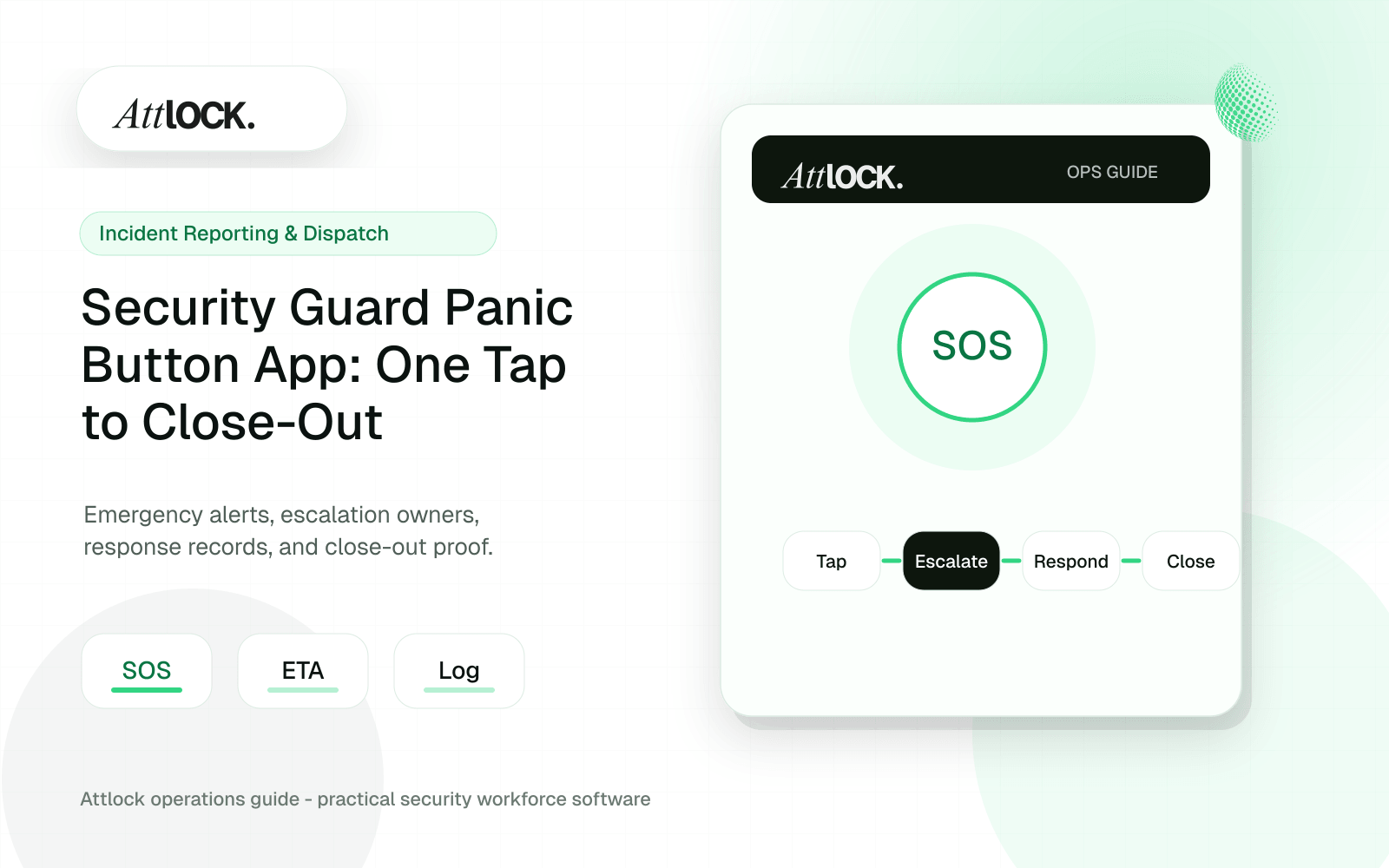
Table of Contents
- Key Takeaways
- A Guard Gets Attacked. What Happens Next?
- The Six Links in the Panic Button Chain
- Link 1: One Tap, No PIN, No Navigation
- Link 2: GPS Capture That Actually Works
- The Dead Zone Problem
- Links 3 & 4: Every Supervisor, Live Map, Zero Delay
- The Live Map Changes Everything
- Link 5: Acknowledgment — The Link Most Competitors Skip Entirely
- Link 6: Close-Out and the Audit Trail
- Why Insurers Are Paying Attention
- How Competitors Stack Up (And Where They Break)
- The Hardware Trap
- Scaling from 30 Guards to 2,000
- For the 30-Guard Company
- For the 2,000-Guard Enterprise
- The Compliance Clock Is Ticking
- What a Real Emergency Looks Like on Attlock
- Your Guards Deserve Better Than a Phone Tree
- Frequently Asked Questions
- How does a security guard panic button app work?
- Do security companies need panic buttons for OSHA compliance?
- What happens if a guard triggers a panic button in an area with poor cell signal?
- How much does a guard panic button system cost?
- Can a panic button app replace dedicated lone worker safety hardware?
Share Article
TL;DR
Most panic buttons fail not at the tap, but at every step after it — delayed GPS, single-supervisor notifications, no live tracking, no proof anyone responded. Attlock's panic button covers the full lifecycle in one platform: one tap, instant GPS lock, all supervisors notified simultaneously, live map tracking, mandatory acknowledgment, and an auditable close-out report. It works for 30-guard companies and 2,000-guard enterprises, requires no hardware, and is included in every plan starting at $40 CAD/site/month.
Key Takeaways
- A panic button that requires more than one tap will never be used in a real emergency — Attlock's requires zero PINs, zero navigation, one tap.
- Guard safety depends on a complete chain: GPS capture, multi-supervisor notification, live map tracking, acknowledgment confirmation, and auditable close-out — most competitors break at step two.
- OSHA reports security guards face workplace violence at 5x the average worker rate, and new state legislation is making duress alarm systems a compliance requirement.
- Insurance carriers are offering 5-15% premium discounts to companies that can prove real-time guard safety monitoring and documented response workflows.
- Attlock's panic button works for a 30-guard regional company and a 2,000-guard enterprise from the same platform — no hardware, no IT overhead.
A Guard Gets Attacked. What Happens Next?
It's 2:14 AM. Your guard is doing a parking garage patrol at a commercial property. Someone approaches from behind a pillar. There's a shove. A threat. Your guard reaches for their phone.
This is the moment that separates a safety system from a liability disaster. What happens in the next 5 seconds — and the next 5 minutes — determines whether your guard gets help, whether your company can prove it responded, and whether you keep that contract or lose it in a lawsuit.
OSHA data shows security guards face workplace violence at 5x the rate of the average worker. That's not a theoretical risk. That's Tuesday night at a retail site or a hospital emergency department. And if your emergency response is a phone call to a supervisor who may or may not answer, you're gambling with lives and your business license.
The panic button on your guards' phones is only as strong as its weakest link. Most systems have several. Let's walk through every link in the chain — and every place competitors break.
The Six Links in the Panic Button Chain
A real guard emergency alert system isn't a single feature. It's a lifecycle — a sequence of events that must execute flawlessly under the worst possible conditions. Miss one step and the whole thing collapses.
- **The Tap** — Guard triggers the alert with a single action
- **GPS Capture** — Exact location is locked and transmitted instantly
- **Multi-Supervisor Notification** — Every designated responder gets alerted simultaneously
- **Live Map Tracking** — Supervisors see the guard's real-time position on a map
- **Acknowledgment** — A supervisor confirms they are responding, creating a record
- **Close-Out** — The incident is documented, timestamped, and stored for audit
Break any single link and you've got a guard who thinks help is coming when it isn't, a supervisor who didn't know there was an emergency, or a company that can't prove it did anything at all. Let's dig into each one.
Link 1: One Tap, No PIN, No Navigation
Here's a question most security technology vendors never ask: what does a panicking person's hand look like? It's shaking. Adrenaline is spiking. Fine motor skills are gone. If your panic button requires unlocking a phone, opening an app, navigating to a screen, and tapping a small icon, it will never be used in a real emergency. Period.
Attlock's panic button requires exactly one tap. No PIN. No menu navigation. No confirmation dialog asking "Are you sure?" — because when someone is being assaulted in a parking garage at 2 AM, they are very sure.
If your panic button takes more than one tap, it's not a panic button. It's a feature buried in a menu.
Competitors like Trackforce Valiant and STANLEY Guard technically offer panic features, but users report needing 3 to 5 taps to trigger an alert. That's not a safety tool. That's a liability waiting to happen.
Link 2: GPS Capture That Actually Works
The tap fires. Now the system needs to answer the most important question: where is the guard right now? Not where they were 30 seconds ago. Not the building address on file. The exact GPS coordinates at the moment of distress.
Attlock captures GPS at the instant of the tap and continues tracking the guard's position in real time. If the guard is moving — being dragged, running, being escorted off-site — supervisors see that movement on a live map.
The Dead Zone Problem
Here's something most vendors won't tell you: panic alerts can fail silently. If your guard is in a parking garage basement, a hospital sub-level, or a rural site with spotty cell coverage, a cellular-only system will try to send the alert, fail, and show nothing on the other end. The guard thinks they triggered it. The supervisor sees nothing.
Attlock queues alerts locally when connectivity drops and transmits the moment signal returns. The guard gets confirmation that their alert is queued. The system doesn't pretend everything is fine when it isn't.
💡 Pro tip: When evaluating any lone worker safety system, ask the vendor what happens when the panic button is pressed in a dead zone. If they can't give you a specific answer, walk away.
Links 3 & 4: Every Supervisor, Live Map, Zero Delay
A panic alert that reaches one supervisor's email inbox is almost useless. What if that supervisor is asleep? In the bathroom? Driving? On another call? The alert sits unread while your guard is in danger.
Attlock notifies all designated supervisors simultaneously — via push notification, not email. Each supervisor sees the guard's name, site, GPS position, and a live map link, all within seconds of the tap.
The Live Map Changes Everything
Most mid-market platforms — Silvertrac, GuardsPro, OfficerReports — send alerts as text or email notifications. There's no real-time GPS tracking of the guard after the initial alert. A supervisor gets a message that says "Guard A triggered a panic alert at 123 Main St" and then... nothing. No movement data. No way to know if the guard is still on-site or being moved.
Attlock's Command Center shows the guard as a live, moving pin on the map. If you need to send a second guard or dispatch emergency services, you're directing them to the guard's current location, not where they were three minutes ago.
5x
Workplace Violence Rate
Security guards face violence at 5x the rate of the average worker (OSHA)
For enterprise security directors managing 500+ guards across multiple sites, this is the difference between operational visibility and blind spots. One centralized live map. Every active duress alert. Every guard's position. From one dashboard.
Link 5: Acknowledgment — The Link Most Competitors Skip Entirely
This is where most guard emergency alert systems quietly fail — and where the real liability lives.
An alert fires. Notifications go out. A supervisor sees it. They make a phone call, or they drive to the site, or they do nothing. There is no record of what happened. No timestamp showing when a supervisor acknowledged the alert. No documentation showing response was initiated. Nothing auditable.
If that guard is injured and files a claim, your company cannot prove that any supervisor responded to the emergency. You can't prove it because your system never asked anyone to confirm they were responding.
An unacknowledged panic alert is legally indistinguishable from no panic alert at all.
Attlock requires supervisor acknowledgment. When a panic alert comes in, a supervisor taps to confirm they are responding. That tap is timestamped, GPS-tagged, and stored. If no one acknowledges within a configurable window, the system escalates — because silence is not an acceptable response to an emergency.
This acknowledgment workflow is the single biggest differentiator between a real safety system and a notification bell. GuardsPro and OfficerReports have no acknowledgment or close-out workflow at all. That's not a feature gap — it's a liability gap.
Link 6: Close-Out and the Audit Trail
The emergency is resolved. The guard is safe. The supervisor handled it. Now what?
If the answer is "nothing" — if there's no documented close-out, no incident report, no timeline of events — you've just created a compliance hole. Regulators, insurers, and lawyers all want the same thing: proof that your process worked.
Attlock's close-out workflow ties the panic event directly into the incident reporting system. The full timeline is captured automatically: when the alert fired, GPS coordinates, which supervisors were notified, who acknowledged, response time, and resolution notes. The report is audit-ready and exportable — no manual reconstruction required.
Why Insurers Are Paying Attention
Insurance carriers are starting to offer 5-15% premium discounts for security companies that can demonstrate real-time guard safety monitoring and documented incident response workflows. An Attlock panic event close-out gives you exactly the documentation they're looking for — timestamped, GPS-verified, with a clear chain of accountability.
That's not a minor savings. For a company insuring 200 guards, a 10% premium reduction can mean $15,000-$30,000 per year back in your pocket. The platform pays for itself on insurance savings alone.
5-15%
Insurance Premium Discounts
Available for companies with documented real-time guard safety monitoring
How Competitors Stack Up (And Where They Break)
Let's be specific about where other platforms fail across the six-link chain. This isn't abstract criticism — these are real gaps that put guards at risk.
| Panic Chain Link | Attlock | TrackTik / Trackforce | Silvertrac | GuardsPro / OfficerReports |
|---|---|---|---|---|
| One-Tap Trigger | ✅ Single tap, no PIN | ❌ 3-5 taps buried in menus | ❌ No native panic feature | ❌ No native panic feature |
| Real-Time GPS Capture | ✅ Instant + continuous tracking | ✅ GPS capture (delayed in some cases) | ❌ No live GPS tracking | ❌ No live GPS tracking |
| Multi-Supervisor Notification | ✅ All supervisors, push notification | ⚠️ Configurable but complex setup | ❌ Email/text only | ❌ Single contact only |
| Live Map Tracking | ✅ Command Center live map | ⚠️ Desktop only, no mobile map | ❌ None | ❌ None |
| Acknowledgment Workflow | ✅ Timestamped, GPS-tagged | ⚠️ Basic (no GPS on ack) | ❌ None | ❌ None |
| Auditable Close-Out | ✅ Full timeline, exportable | ⚠️ Manual report creation | ❌ None | ❌ None |
The pattern is clear. Legacy enterprise platforms like TrackTik have some pieces but bury them behind complexity and 6-12 week implementations. Mid-market tools are missing the chain entirely. Attlock is the only platform that closes every link, from one tap to auditable close-out, in a system that deploys in days — not months.
The Hardware Trap
STANLEY Guard and GuardTek require proprietary hardware devices for panic functionality. That means upfront hardware costs, ongoing maintenance, and guards carrying yet another device. The lone worker safety market has decisively shifted to mobile-first apps on standard smartphones — a market projected to exceed $3.5B globally by 2027. Attlock runs on the phones your guards already carry. No hardware. No IT overhead. No excuses for not deploying it.
Scaling from 30 Guards to 2,000
One of the hardest problems in security guard safety technology is building a system that works for a 30-guard regional company and a 2,000-guard enterprise without becoming two different products.
For the 30-Guard Company
You're the owner. You're also the operations manager, the primary supervisor, and the person who answers the phone at 3 AM. You need panic alerts that hit your personal device instantly — not a desktop dashboard you check once per shift. Attlock's Starter plan at $40 CAD/site/month includes the full panic button lifecycle. No add-ons. No per-guard fees.
For the 2,000-Guard Enterprise
Your VP of Security Operations needs a centralized live map showing every active duress alert across 100+ sites. Your regional managers need to see only their territory. Your IT team needs SSO/SAML integration and SOC 2 compliance documentation. Your CFO needs per-site pricing that doesn't balloon to $150K/year as you grow.
Attlock's Enterprise plan delivers all of this from one dashboard with multi-region deployment, custom RBAC roles, API access for integration with your existing HRIS and SIEM systems, and a dedicated account manager. At 100 sites on the Professional plan, you're looking at roughly $6,500 CAD/month — versus $20,000+/month for comparable TrackTik deployments.
$6,500 Monthly Cost at 100 Sites — vs. $20,000+/month for TrackTik enterprise deployments
The Compliance Clock Is Ticking
Post-2023, California, New York, and Illinois have introduced or strengthened legislation requiring employers to provide panic button or duress alarm systems for security personnel. This isn't a trend that's reversing. More states and provinces are following.
If you're operating without a documented, auditable guard emergency alert system, you're not just risking your guards' safety. You're risking fines, contract losses, and personal liability. The standard of care is moving, and "we have a phone tree" is no longer an acceptable answer.
Attlock gives you compliance-ready documentation out of the box. Every panic event is logged with full GPS data, timestamps, notification records, acknowledgment confirmations, and close-out reports. When a regulator or an insurance auditor asks how you handle guard emergencies, you hand them a PDF — not a shrug.
💡 New to Attlock? The full panic button feature — including GPS tracking, multi-supervisor notifications, live map, acknowledgment workflow, and audit-ready close-out — is included in every plan. Start a 14-day free trial at dashboard.attlock.com/sign-up to see it in action.
What a Real Emergency Looks Like on Attlock
Let's go back to that parking garage. 2:14 AM. Your guard hits the panic button.
2:14:01 AM — One tap. GPS coordinates captured. Guard's name, site, and position transmitted.
2:14:03 AM — Push notifications hit three supervisors simultaneously. Each notification includes the guard's live map link.
2:14:09 AM — Supervisor A taps "Acknowledge." Timestamp and GPS recorded. The system logs that response was initiated in 8 seconds.
2:14:10 AM — Supervisor A sees the guard's position on the live map. The guard is moving toward the garage exit. Supervisor A calls 911 and dispatches the nearest available guard from the Command Center.
2:22 AM — Situation resolved. Supervisor A closes out the event with notes. The full timeline is automatically packaged into an audit-ready incident report.
Total time from tap to acknowledgment: 8 seconds. Total time with zero documentation gaps. Total time with a complete, exportable audit trail.
That's not a product demo. That's what the Attlock platform does every night for 150+ security companies.
Your Guards Deserve Better Than a Phone Tree
Guard safety isn't a feature checkbox. It's a chain — and every link has to hold. The tap has to be instant. The GPS has to be accurate. The notifications have to reach everyone who matters. The map has to show real-time movement. Someone has to confirm they're responding. And the whole thing has to be documented for the auditor, the insurer, and the lawyer who shows up six months later.
Most platforms get one or two links right and leave the rest to chance. Attlock closes every gap. For a 30-guard company paying $40/month and for a 2,000-guard enterprise managing 100 sites from one dashboard.
Book a demo at [attlock.com/book-demo](https://attlock.com/book-demo) and walk through the full panic lifecycle with our team. Or start a 14-day free trial — no credit card required — and test it yourself tonight. Your guards shouldn't have to wait.
Frequently Asked Questions
How does a security guard panic button app work?
A guard taps a single button on their mobile device, which instantly captures their GPS coordinates and sends alerts to all designated supervisors. The best systems, like Attlock, then track the guard's location on a live map in real time and require supervisors to acknowledge the alert, creating an auditable record of the entire emergency response.
Do security companies need panic buttons for OSHA compliance?
While OSHA doesn't mandate a specific panic button device, it requires employers to provide a workplace free from recognized hazards. With security guards facing workplace violence at 5x the average rate, and states like California, New York, and Illinois strengthening duress alarm legislation, a documented panic button system is becoming a practical compliance necessity.
What happens if a guard triggers a panic button in an area with poor cell signal?
Many legacy panic systems fail silently in low-signal environments like parking garages or basements. Attlock queues the alert locally and transmits it as soon as connectivity is restored, ensuring no emergency goes unreported even in dead zones.
How much does a guard panic button system cost?
Attlock's panic button is included in every plan starting at $40 CAD/site/month with no per-guard fees. Competitors like TrackTik and STANLEY bundle panic features inside expensive enterprise suites that can cost $20,000+/month for large operations, or require proprietary hardware purchases.
Can a panic button app replace dedicated lone worker safety hardware?
Yes. Mobile-first panic button apps are now the dominant form factor in the lone worker safety market, projected to exceed $3.5B globally by 2027. Attlock's one-tap panic button on standard iOS and Android devices eliminates the need for separate hardware devices, reducing cost and increasing adoption because guards already carry their phones.