Security Guard Panic Button App: The 6-Step Safety Flow That Actually Works
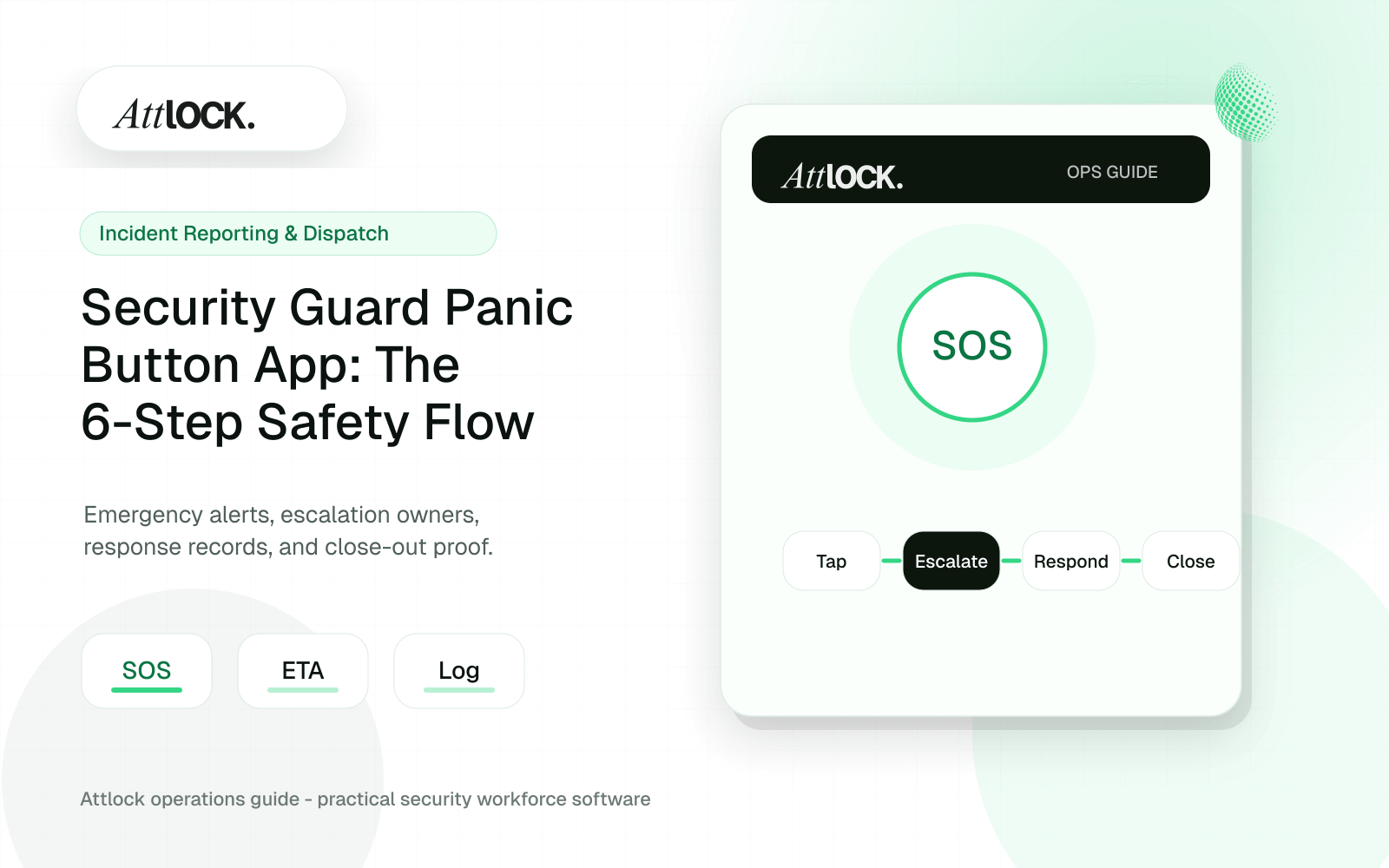
Table of Contents
- Key Takeaways
- A Guard Just Hit the Panic Button. Now What?
- Why This Matters More in 2025 Than Ever Before
- The 6-Step Guard Safety Flow (And Where Most Systems Fail)
- Step 1: One-Tap Trigger (No PIN, No Menu, No Delay)
- Step 2: Instant GPS Capture
- Step 3: All Supervisors Notified (This Is Where Most Systems Break)
- Step 4: Live Map Tracking
- Step 5: Supervisor Acknowledgment
- Step 6: Formal Close-Out and Audit Trail
- How Legacy Systems Fail at Each Step
- The Business Case: Why This Isn't Just About Safety
- Guard Retention
- Insurance Premiums
- Contract Retention
- The Cost of Doing Nothing
- The Counterintuitive Truth About Guard Safety Technology
- Running Your Own Panic Button Audit
- What the Complete Flow Looks Like in Practice
- Your Guards Deserve a System That Actually Works
- Frequently Asked Questions
- What is a security guard panic button app?
- Do security guards need panic buttons by law?
- How does GPS tracking work with a guard panic button?
- What happens if a guard triggers a panic alert in a basement or low-signal area?
- How much does a panic button system cost for a security company?
Share Article
TL;DR
Most guard panic buttons break somewhere between the tap and the response. This article walks through the complete 6-step safety flow — trigger, GPS capture, supervisor notification, live map, acknowledgment, and close-out — and shows where legacy tools fail at each stage. Attlock's one-tap panic button covers every step in a single integrated platform, with no hardware, no PINs, and a full audit trail.
Key Takeaways
- A panic button that requires unlocking a phone, opening an app, and navigating a menu is not a panic button — it's a liability.
- The full guard safety flow has 6 steps: one-tap trigger, GPS capture, supervisor notification, live map tracking, acknowledgment, and formal close-out — most systems break at step 3.
- New legislation in California (SB 553) and New York is mandating employer-provided panic alert systems, making this a compliance issue, not just a feature request.
- Attlock's one-tap panic button requires no PIN, captures GPS instantly, alerts all supervisors simultaneously, and produces an audit-ready close-out trail.
- Insurance carriers are offering 5-15% premium discounts for firms with GPS-verified emergency response protocols — making the ROI quantifiable.
A Guard Just Hit the Panic Button. Now What?
It's 2:14 AM. Your guard is alone at a warehouse loading dock on the east side of the city. Someone approaches. The situation escalates. Your guard reaches for their phone.
What happens in the next eight seconds determines whether this becomes a resolved incident or a lawsuit. Whether your guard gets help or gets hurt. Whether you keep that contract or lose it — along with your reputation.
Here's the uncomfortable truth most security company owners avoid thinking about: you probably don't know what happens after your guard hits the panic button. Because most systems don't have a complete flow. They have a button that sends a text. Maybe an email. Then... silence. No confirmation it was received. No live tracking. No structured resolution. No audit trail.
That gap between the tap and the response is where people get hurt and companies get sued. This article is a safety audit disguised as a feature walkthrough. We're going to trace every single second of a panic event through the 6-step flow it should follow — and show you exactly where your current system probably breaks.
Why This Matters More in 2025 Than Ever Before
OSHA reports that security guards face workplace violence at 5x the national average. That's not a statistic you can file away and forget. It means your guards are more likely to encounter a violent situation than almost any other worker in any other industry.
Legislators have noticed. California SB 553 now requires workplace violence prevention plans with emergency alert capabilities. The New York Retail Worker Safety Act mandates employer-provided panic button systems. More states are drafting similar legislation right now. This isn't a future trend — it's a current compliance requirement that's expanding month by month.
5x
Workplace Violence Rate for Security Guards
Compared to the national average across all occupations (OSHA)
And here's the angle most people miss: insurance carriers are watching too. Firms that can demonstrate GPS-verified emergency response protocols are starting to see premium discounts of 5-15%. That's real money. On a $40,000 annual premium, a 10% discount is $4,000 back in your pocket — every year — just for having a system that actually works.
The lone worker safety technology market is projected to exceed $4.5 billion by 2027, growing at roughly 14% annually. The industry is moving fast. The question is whether your emergency response system is keeping up.
The 6-Step Guard Safety Flow (And Where Most Systems Fail)
A complete guard emergency alert system isn't just a button. It's a chain of custody — from the moment of distress to the moment the incident is formally closed. Break any link in that chain and you have a liability gap. Here are the six steps that chain must include.
Step 1: One-Tap Trigger (No PIN, No Menu, No Delay)
When a guard is in danger, they're not going to unlock their phone, open an app, navigate to a settings menu, and find the emergency button buried three screens deep. That's not a safety system — that's a liability dressed up as a feature.
The trigger must be one tap. No PIN. No confirmation dialog asking "Are you sure?" when someone is actively threatening your guard. Attlock's panic button is designed exactly this way — a single tap fires the alert. The button is prominent, accessible, and requires zero navigation under stress.
💡 Test your current system right now: hand your phone to someone unfamiliar with the app and ask them to trigger a panic alert. If it takes more than 2 seconds, your guards can't rely on it.
Silvertrac and most legacy guard tour platforms treat panic alerts as an afterthought — buried in a menu alongside patrol checkpoints and daily activity logs. Guardso and GuardsPro require multiple taps. In an emergency, every second your guard spends navigating a UI is a second they're not protecting themselves.
Step 2: Instant GPS Capture
The moment that button is tapped, two things need to happen simultaneously: the alert fires and the guard's exact GPS coordinates are captured. Not their last known location from 10 minutes ago. Not the building address on file. Their exact position, right now, at the moment they need help.
This matters because guards move. A guard who triggered an alert at the north loading dock may have been forced to the south parking lot by the time help arrives. Without real-time GPS, your responder is searching a 200,000 square foot facility blind.
Attlock captures GPS coordinates at the instant of activation and continues streaming location data to the live command center. That stream doesn't stop until the incident is formally closed.
Step 3: All Supervisors Notified (This Is Where Most Systems Break)
Here's the step that separates real safety systems from checkbox features. Your guard has tapped the button. GPS is captured. Now who gets told, and how?
Many competitors — including Guardso, GuardsPro, and OfficerReports — send alerts via email or SMS only. Think about that. Your guard is in danger, and the system sends an email. To an inbox your ops manager might check in 20 minutes. At 2 AM.
An alert that nobody sees is the same as no alert at all. The notification method IS the safety system.
Attlock pushes instant push notifications to all designated supervisors simultaneously — not just one on-call manager, but every supervisor in the chain. The alert includes the guard's name, GPS position, site details, and a direct link to the live map. No one has to dig through their inbox to find it.
Step 4: Live Map Tracking
Once supervisors are alerted, they need to see what's happening. Not read a text that says "Guard 7 triggered panic at Site B." They need a live, real-time map showing exactly where that guard is, where they're moving, and — if you have the dispatch system — where the nearest available responder is.
Attlock's Live Command Center shows every active guard on a GPS map in real time. When a panic alert fires, the affected guard's pin changes state immediately — it's impossible to miss. Supervisors can zoom in, track movement, and coordinate response from one screen.
TrackTik and STANLEY Guard offer dispatch capabilities, but they lack a clear live-map integration tied to panic events. The panic alert and the dispatch system exist in separate workflows, which means your ops manager is switching between screens during the exact moment they need to be focused on one thing.
Step 5: Supervisor Acknowledgment
This is the step almost nobody talks about — and it's the one that matters most in a courtroom. Did anyone actually receive and act on the alert?
Without an acknowledgment loop, you have no proof that anyone saw the alert. The guard's attorney (or the client's attorney, or OSHA's investigator) will ask one simple question: "Can you show me documentation that a supervisor received this alert and took action?" If the answer is "Well, we sent a text..." you're exposed.
Attlock requires explicit supervisor acknowledgment of every panic alert. The system logs who acknowledged, when, and what action was initiated. This creates an auditable chain that holds up under investigation. Enterprise platforms like TrackTik and STANLEY Guard lack this structured acknowledgment workflow — once the alert fires, there's no documented confirmation it was received and acted upon.
Step 6: Formal Close-Out and Audit Trail
The incident is resolved. The guard is safe. Most systems stop here. But the close-out is what protects your company in the weeks, months, and years that follow.
A proper close-out includes: what triggered the alert, who responded, response time, actions taken, resolution status, and any supporting evidence (photos, video, notes). This feeds directly into Attlock's incident reporting system, which supports 6 incident types, 4 priority levels, and multimedia evidence attachments — all audit-ready.
The entire flow — from one-tap trigger to formal close-out — is logged with timestamps, GPS data, and user IDs. Export it for your client. Export it for your insurance carrier. Export it for OSHA. The record is complete.
How Legacy Systems Fail at Each Step
Let's be specific about where the industry's most common tools fall apart, step by step.
| Safety Flow Step | Attlock | Silvertrac | TrackTik | Guardso/GuardsPro | Belfry |
|---|---|---|---|---|---|
| One-tap trigger (no PIN) | ✅ Single tap, no PIN | ❌ Buried in menu | ⚠️ Available but complex setup | ❌ Multi-tap required | ⚠️ Basic button |
| Instant GPS capture | ✅ Real-time streaming | ⚠️ Last known location | ✅ GPS capture | ⚠️ Inconsistent | ⚠️ No offline fallback |
| All supervisors notified | ✅ Push to all supervisors | ❌ Email/SMS only | ⚠️ Per-device licensing | ❌ Email only | ⚠️ Limited alerts |
| Live map tracking | ✅ Command Center live map | ❌ No live map | ⚠️ Separate workflow | ❌ Not available | ❌ Not available |
| Supervisor acknowledgment | ✅ Logged acknowledgment | ❌ No ack loop | ❌ No structured ack | ❌ No ack loop | ❌ No ack loop |
| Formal close-out + audit trail | ✅ Full incident close-out | ❌ No close-out workflow | ❌ Liability gap | ❌ Manual documentation | ❌ No close-out |
The pattern is clear. Most tools handle step 1 or 2 reasonably well, then collapse at the notification, tracking, acknowledgment, and close-out stages. That's not a panic system — it's a notification widget.
A panic button without an acknowledgment loop and a close-out trail is just noise. It makes your guard feel safer without actually making them safer.
Belfry and newer entrants deserve a specific callout here: they offer basic panic buttons but have no offline or low-signal fallback. Your guards in basements, parking garages, stairwells, and rural posts — exactly the places where incidents are most likely — are left unprotected when the signal drops.
The Business Case: Why This Isn't Just About Safety
Guard safety is reason enough. But if you need to make the case to a cost-conscious client or a skeptical CFO, the numbers work too.
Guard Retention
The security industry's annual turnover rate is 100-300%. That's not a typo. Guards quit because the job feels dangerous and their employer doesn't seem to care. A visible, reliable safety system — one your guards actually trust — is a retention tool. At enterprise scale, reducing turnover even modestly saves $300K-$500K per year in recruiting, training, and lost productivity.
100-300%
Annual Guard Turnover Rate
Industry-wide average — guards leave when they don't feel safe
Insurance Premiums
Insurance carriers are beginning to offer 5-15% premium discounts for security firms that can demonstrate GPS-verified emergency response protocols. Attlock's end-to-end audit trail — with timestamps, GPS coordinates, acknowledgment records, and close-out documentation — is exactly the kind of evidence underwriters want to see.
Contract Retention
One unresponded-to incident can cost you a contract worth hundreds of thousands in annual revenue. Your clients — especially in healthcare, property management, and higher education — increasingly require documented emergency response capabilities as part of their SLAs. Attlock's client portal gives them visibility into safety protocols without a single phone call.
The Cost of Doing Nothing
Standalone panic button hardware costs $200-$500 per device, plus monthly monitoring fees, plus the overhead of managing separate hardware alongside your existing guard management tools. For a 50-guard operation, that's $10,000-$25,000 in hardware alone — before the first alert ever fires.
Attlock includes the one-tap panic button on every plan, starting at $40 CAD/site/month. No additional hardware. No per-guard fees. No separate vendor to manage. The panic system lives inside the same platform your guards already use for patrol tracking, incident reporting, and clock-in — which means they actually know how to use it when it counts.
$40 CAD/Site/Month (Starter Plan) — Panic button included — no extra hardware or per-guard fees
The Counterintuitive Truth About Guard Safety Technology
Here's something most vendors won't tell you: the biggest risk isn't having no panic button. It's having one that gives you false confidence.
A panic button that sends an email to one manager's inbox at 2 AM is arguably worse than no button at all. Because with no button, you know you're exposed. You're cautious. You might keep guards in pairs, avoid high-risk sites, or invest in radios. But with a broken panic system, you believe you're covered — and you deploy lone workers to dangerous sites with a false sense of security.
That false confidence is what gets people hurt. And it's what gets companies sued — because you had a system, you told your guards it would protect them, and when they needed it, it failed.
This is why the 6-step flow matters. Not as a feature checklist for a sales call, but as a genuine safety audit. Pull out your current system right now and trace a panic event through all six steps. If it breaks at step 3 (and it probably does), you know what you need to fix.
Running Your Own Panic Button Audit
You don't need to buy anything to start. Run this audit on your current setup today:
- **Trigger test:** Have a guard trigger a test panic alert. Time it from the moment they reach for their phone to the moment the alert fires. If it takes more than 3 seconds, it's too slow.
- **GPS accuracy test:** Check the GPS coordinates captured at the moment of the alert. Are they accurate to the guard's actual position? Or are they stale data from the last check-in?
- **Notification test:** Check which supervisors received the alert, how they received it (push notification, SMS, email?), and how long it took to reach them. If it went to email only, that's a critical failure.
- **Live tracking test:** Can you see the guard's real-time position on a map after the alert? Or do you only have the point-in-time location from when the button was pressed?
- **Acknowledgment test:** Is there a documented record that a supervisor received and acknowledged the alert? Or just a sent notification with no confirmation?
- **Close-out test:** After the test incident is resolved, can you export a complete audit trail — timestamps, GPS path, responder actions, resolution notes — in a format your client or insurance carrier would accept?
If your current system passed all six, you're in good shape. If it failed at any step — and most systems fail at steps 3, 5, and 6 — you now have a specific, documented gap to address.
💡 Pro tip: Run this audit quarterly, not just once. Systems degrade. Notifications get turned off. Supervisors change roles. A safety system that worked in January may have silent failures by June. Document each audit in your [Attlock help center](https://help.attlock.com) knowledge base for compliance records.
What the Complete Flow Looks Like in Practice
Let's revisit that 2:14 AM scenario — but this time with Attlock's full 6-step flow in place.
Your guard at the warehouse loading dock sees the situation escalating. They tap the panic button — one tap, no PIN, no unlock required. In the same instant, their exact GPS coordinates are captured and begin streaming to the Live Command Center.
Within seconds, every designated supervisor receives a push notification with the guard's name, location, and site. The guard's pin on the live map changes state — impossible to miss even on a screen showing 50 active guards. The operations manager on duty taps "Acknowledge" — that acknowledgment is logged with a timestamp and user ID.
The ops manager sees the guard's live GPS position and dispatches the nearest mobile patrol unit using Attlock's one-click dispatch. The responder's route and ETA are visible on the same map. The guard's position continues streaming in real time.
The situation is de-escalated. The responder arrives in 4 minutes. The guard is safe. The ops manager closes out the incident with a resolution note and attaches the guard's written statement. The complete record — trigger time, GPS path, notification log, acknowledgment timestamp, response time, close-out notes — is exported as a PDF and automatically delivered to the client's portal by morning.
That's the difference between a panic button and a safety system. Every second accounted for. Every action documented. Every person in the chain confirmed.
4.8/5
Rating from 150+ Security Companies
Attlock is trusted across North America for exactly this kind of reliability
Your Guards Deserve a System That Actually Works
Guard safety isn't a feature to list on a marketing page. It's a promise you make to every person who puts on a uniform and shows up at a site alone at 2 AM. The question is whether your technology keeps that promise — at every step, every time, without fail.
If you ran the 6-step audit above and found gaps, you're not alone. Most security companies are operating with a partial system because that's all their current tools offer. The good news is that closing those gaps doesn't require buying separate hardware, hiring new staff, or overhauling your entire operation.
Attlock's panic button is built into the same platform your guards already use for patrol verification, shift clock-in, and incident reporting. There's nothing extra to carry, nothing extra to learn, and nothing extra to charge your clients for. It just works — because it was designed for the reality of what guards actually face, not for a demo screen.
See the full 6-step flow in action. Book a 15-minute demo at attlock.com/book-demo and we'll walk through a live panic event on the platform — trigger to close-out. Or start your 14-day free trial and run the audit yourself. No credit card. No pressure. Just the answer to the question that matters most: what actually happens when your guard hits that button?
Frequently Asked Questions
What is a security guard panic button app?
A security guard panic button app is a mobile feature that lets guards trigger an emergency alert with a single tap — no PIN, no menu navigation. The best systems instantly capture GPS coordinates, notify all on-duty supervisors, and create an auditable response trail from trigger to resolution.
Do security guards need panic buttons by law?
Increasingly, yes. California SB 553 and the New York Retail Worker Safety Act now mandate employer-provided panic or emergency alert systems. OSHA also reports security guards face workplace violence at 5x the national average, making panic systems both a legal and liability imperative in 2025.
How does GPS tracking work with a guard panic button?
When a guard taps the panic button, the app captures their exact GPS coordinates at the moment of activation and continues tracking their location in real time on a live map. Supervisors see exactly where the guard is and can dispatch the nearest responder — no radio calls, no guesswork.
What happens if a guard triggers a panic alert in a basement or low-signal area?
Many competing apps fail in low-signal environments like parking garages and basements. Attlock's system is designed for the real-world conditions guards actually work in, ensuring alerts queue and transmit the moment connectivity is restored rather than silently failing.
How much does a panic button system cost for a security company?
Standalone panic button hardware can cost $200-500 per device plus monthly monitoring fees. Attlock includes a one-tap panic button as a built-in feature on every plan starting at $40 CAD/site/month — no additional hardware, no per-guard fees, no hidden costs.